
Command Prompt and PowerShell are powerful tools for executing commands and scripts in Windows. While launching them from the Start menu or search bar is straightforward, knowing how to open Command Prompt in a folder can be more convenient, especially when working with files or running scripts deep within the directory structure. In this guide, we’ll walk you through the steps to open Command Prompt and PowerShell within a specific folder on both Windows 10 and Windows 11.
Navigate to the Target Folder – First, you need to navigate to the folder where you want to open Command Prompt. You can do this by using File Explorer:
- Open File Explorer by pressing Win + E on your keyboard or by clicking on the File Explorer icon in the taskbar.
- Browse to the desired folder by clicking through the directory structure.
How to open Command Prompt in a Folder Using File Explorer (Windows 10 and Windows 11)
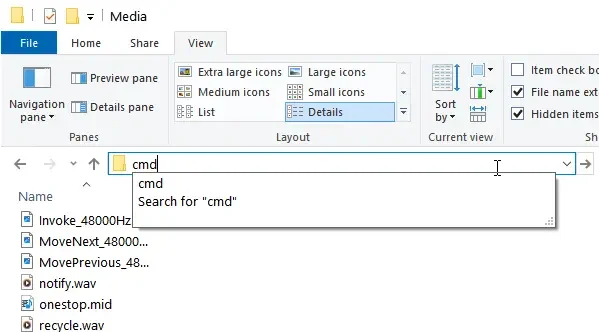
- In the File Explorer window, click on the address bar at the top.
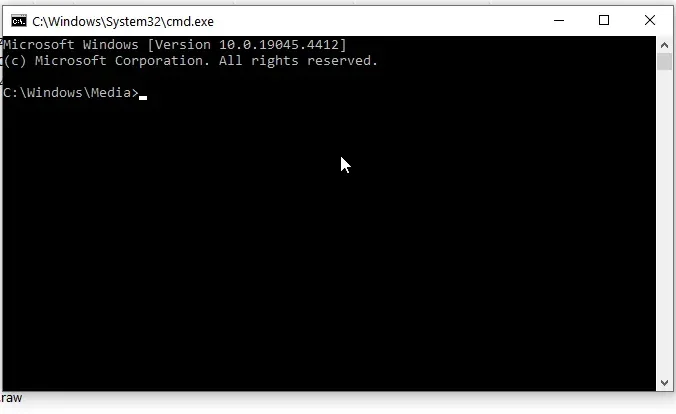
- Type “cmd” and press Enter. This action will open PowerShell or Command Prompt with the current folder as its working directory.

Open PowerShell in the Selected Folder by using Shift + Right-click
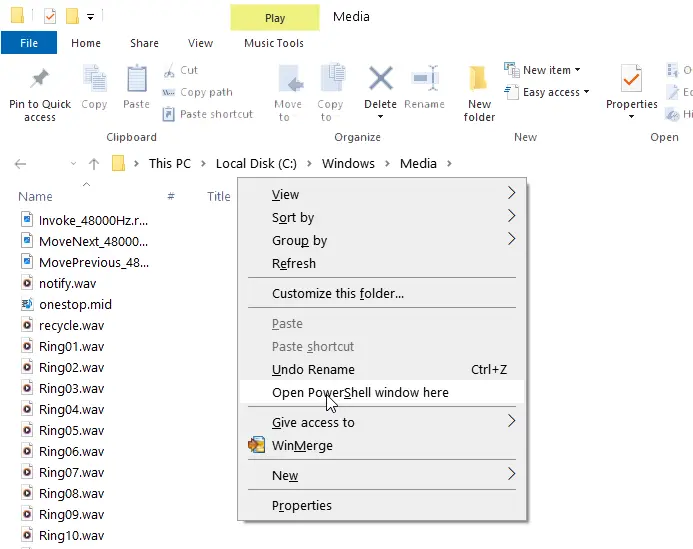
- Hold down the Shift key on your keyboard.
- Right-click on an empty space within the folder.
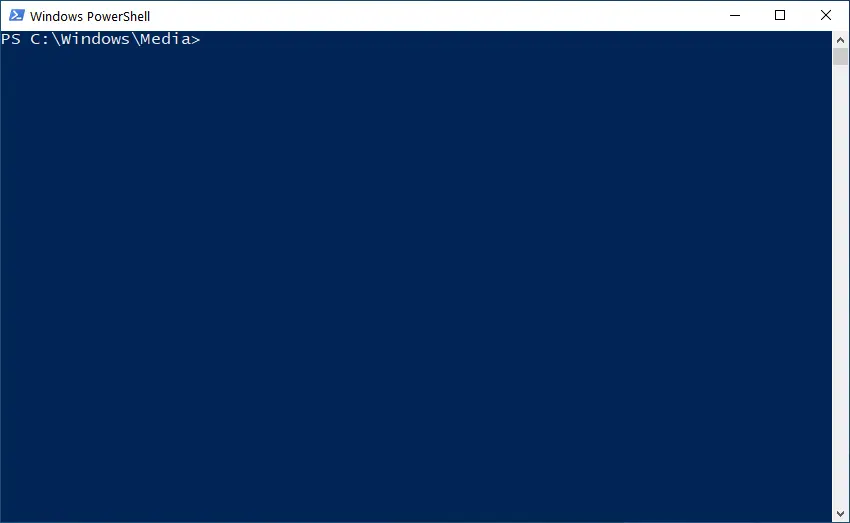
- From the context menu, select “Open PowerShell window here” or “Open Command Prompt here” depending on your Windows version. This action will open Command Prompt with the current folder as its location.

Verify Command Prompt or PowerShell is open in the Correct Folder
Once the command window opens, you can confirm that it’s in the correct folder by checking the path displayed in the Command Prompt window. If it matches the location of the folder you selected, you’re ready to execute commands or scripts within that directory.
Opening Command Prompt or PowerShell directly within a specific folder can streamline various tasks, such as file management, system administration, and software development. By following the simple steps outlined above, you can quickly and efficiently access Command Prompt or PowerShell within your desired directory on both Windows 10 and Windows 11, enhancing your productivity and workflow efficiency.